

The Windows/Linux SDK helps you use biosignal and motion data collected through VitalTrack and EmoConnect devices.
It enables researchers and developers to integrate device data easily and
customize it when building a wide range of applications.
Learn More About EmoConnect PRO
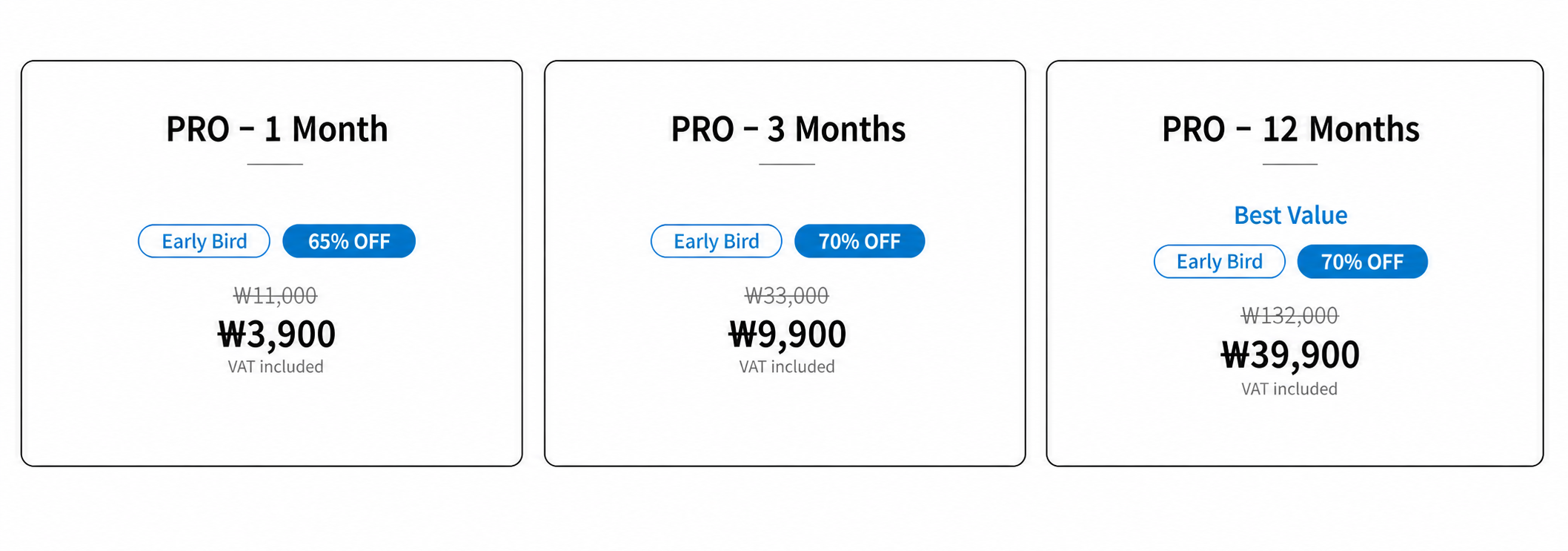
Subscribe to the PRO version to access additional capabilities for your projects.
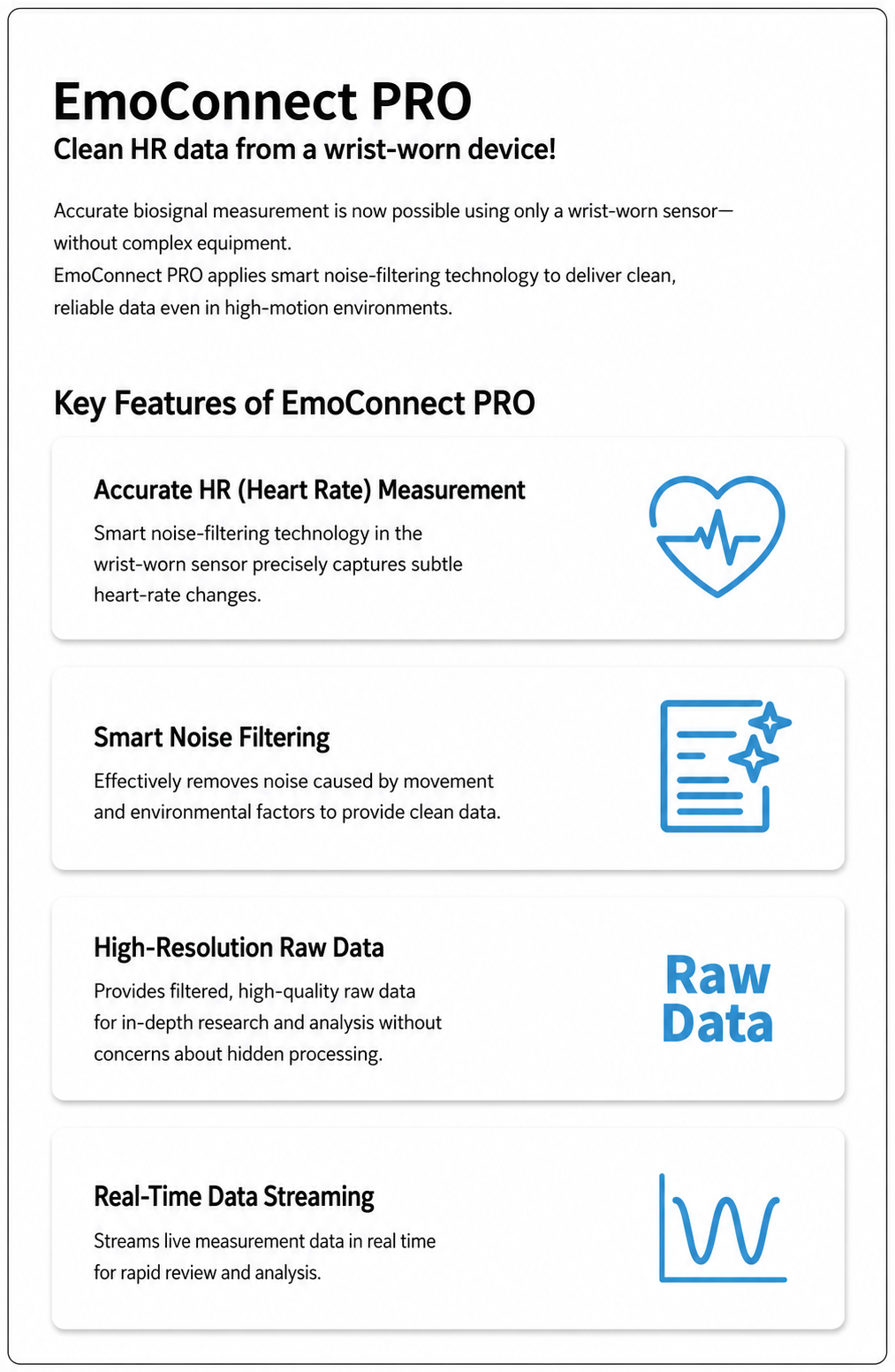
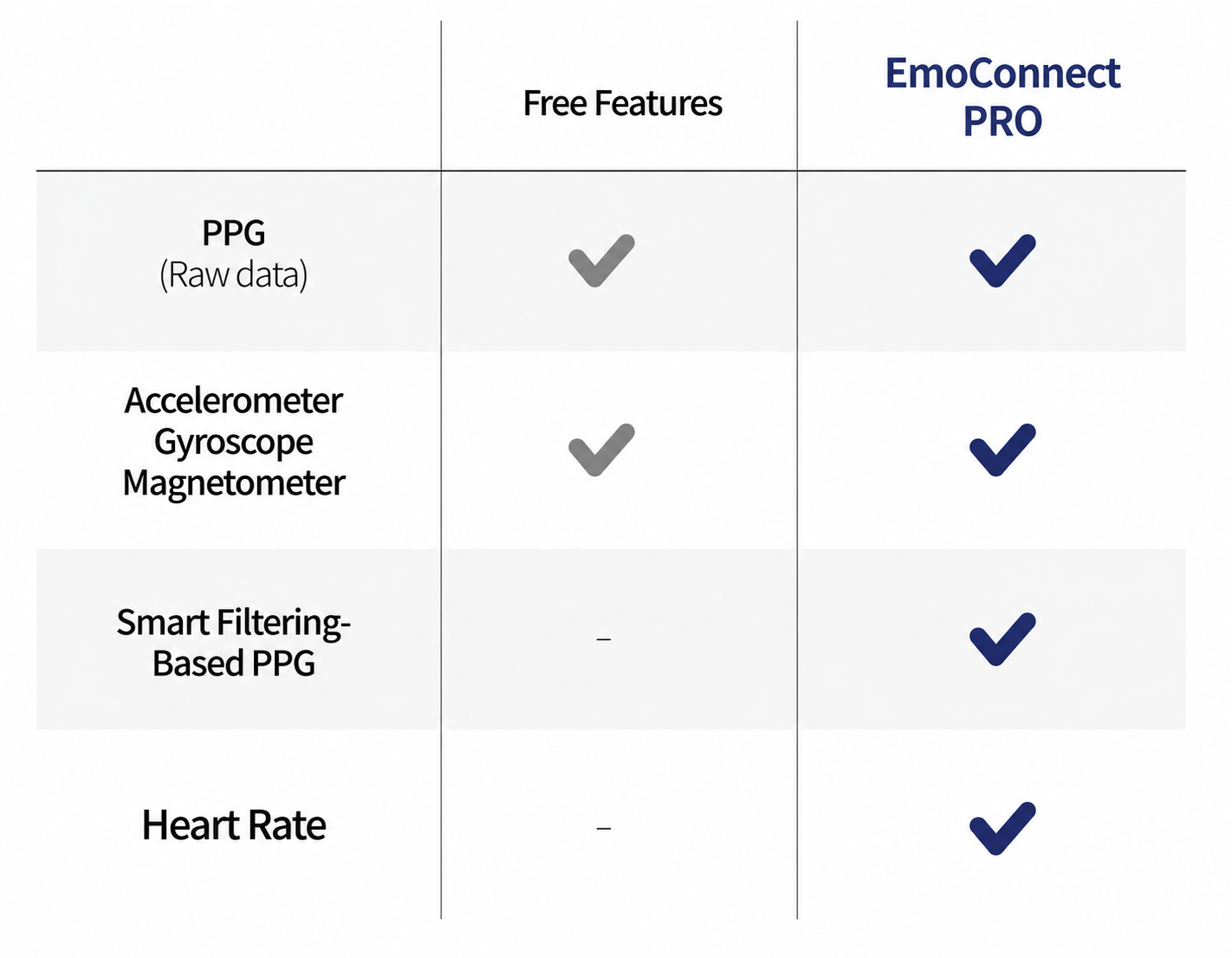
* EmoConnect PRO features are currently available only on Windows and Linux.
Development Environment
1. Subscribe to EmoConnect PRO and Receive a License
Purchase a Subscription in Biosignal Datahub
Open Biosignal Datahub (https://biosignal-datahub.com/en/subscribe/plans) and purchase an EmoConnect PRO subscription.
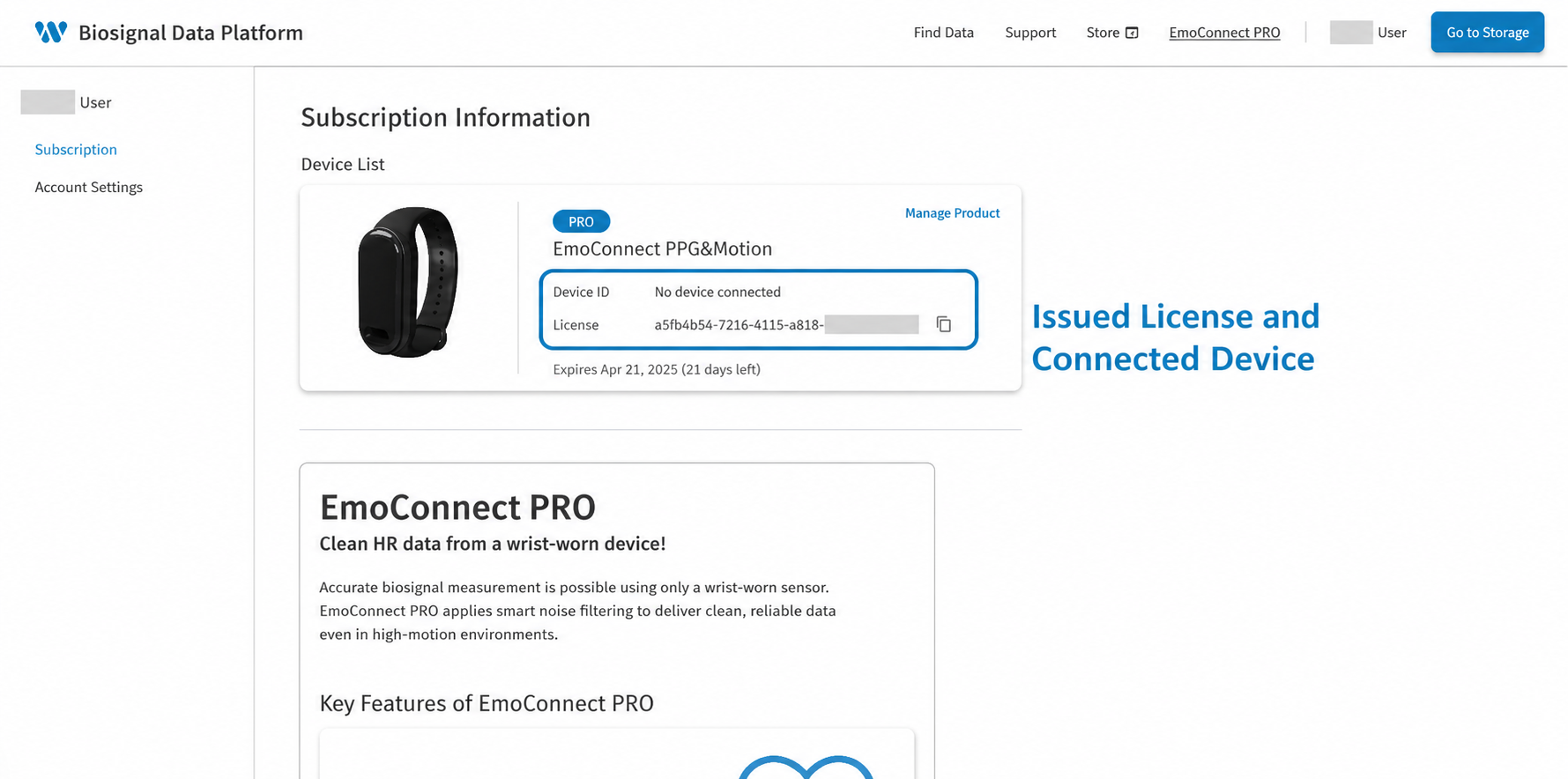
License Issuance After Payment
The license is issued automatically after payment is completed.
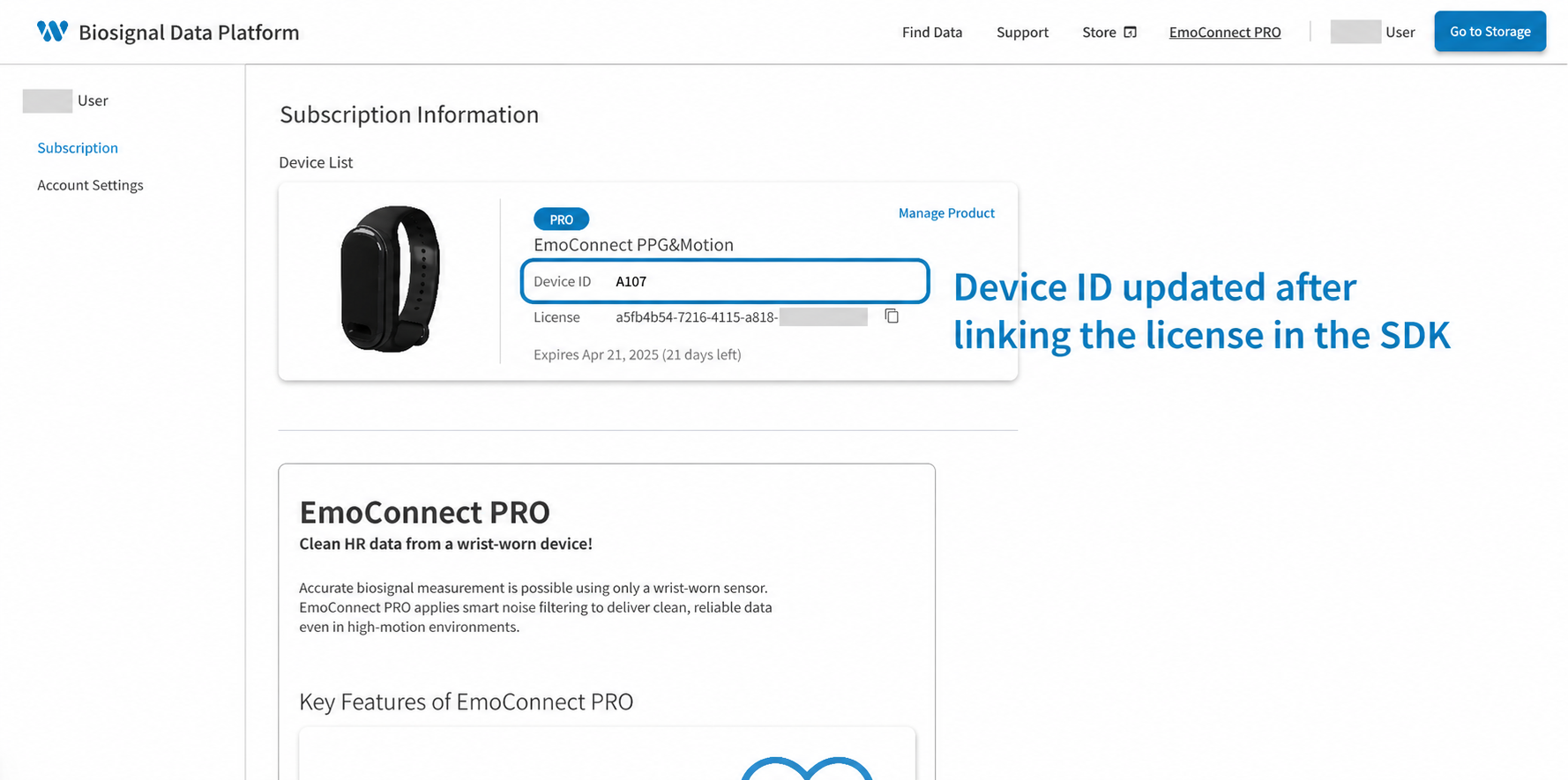
The Device ID Is Blank on a Newly Issued License
A Device ID has not yet been assigned immediately after the license is issued.
The Device ID is assigned when an EmoConnect device is linked through the SDK for the first time.
2. Download and Install the SDK
Download the Windows/Linux SDK
EmoConnect PRO is available only on Windows and Linux.
This is a Python-based SDK. Download it from the Git repository listed at the top of this page.
Install the SDK
Install the downloaded SDK for your operating system.
For detailed installation instructions, refer to the SDK's README.md file or the supplied documentation.
3. Enter the License and Register a Device
An Internet Connection Is Required on First Run
The computer must be connected to the internet when the SDK is run for the first time.
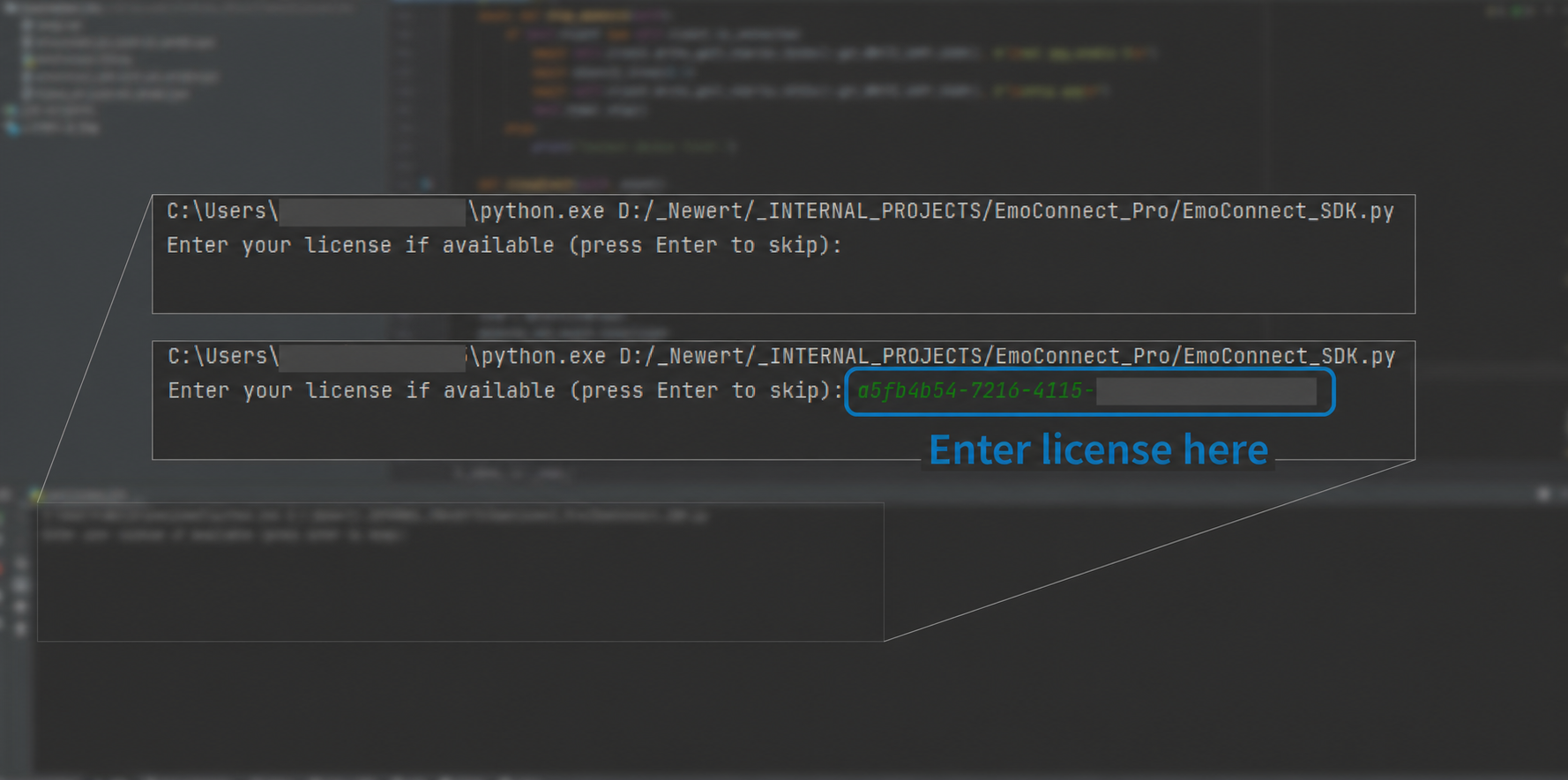
Enter the issued license code in the terminal.
One-to-One Device Registration
The entered license is paired one-to-one with the BLE-connected EmoConnect device.
During initial registration, the Device ID is recorded automatically on the license.
Automatic Device ID Update in Biosignal Datahub
After the device is registered, its four-digit Device ID appears in the previously blank field in Biosignal Datahub.
4. Validation for PRO Features
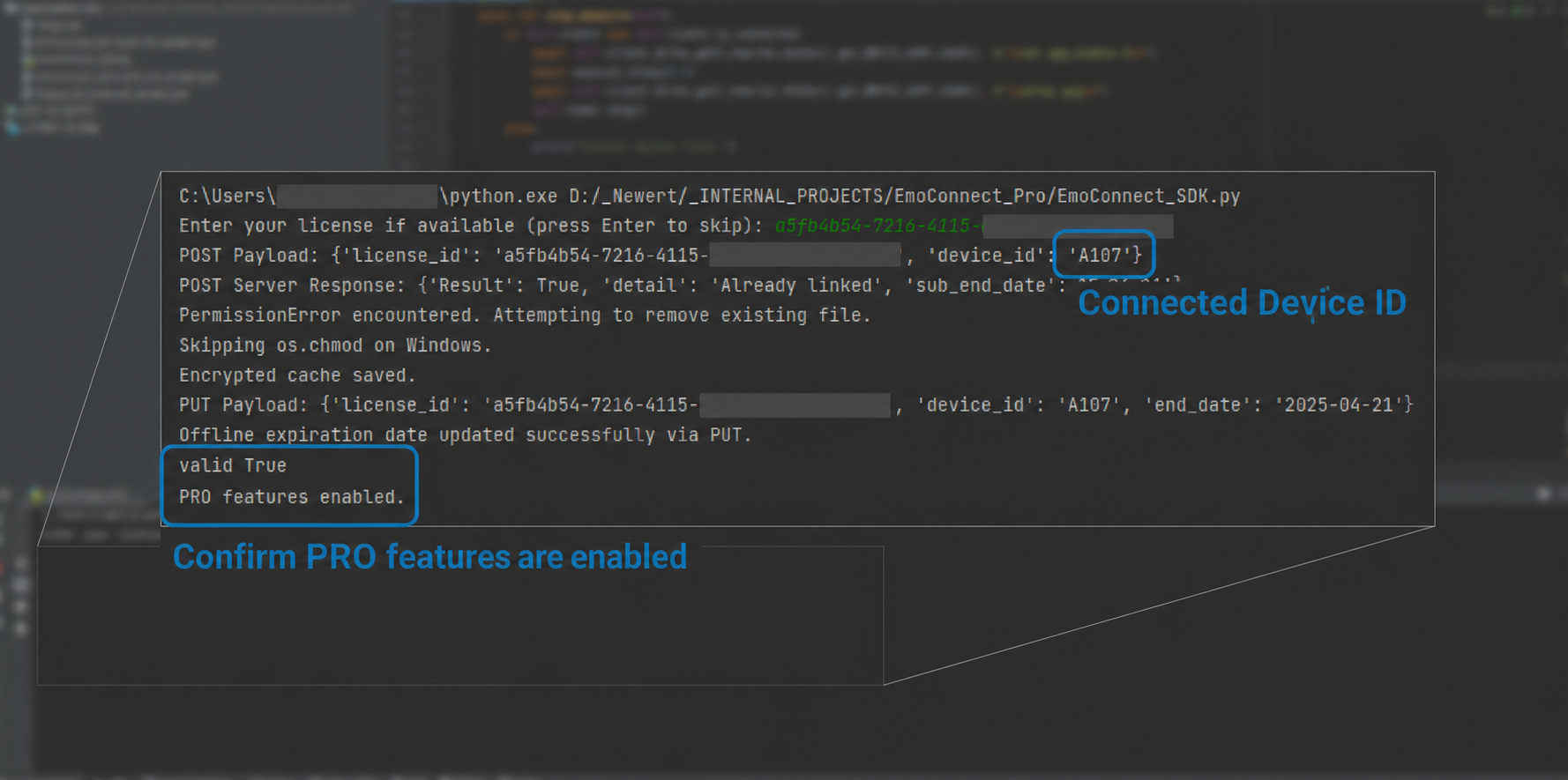
Validate the License and Device ID
Confirm that the license is linked correctly to the corresponding Device ID.
PRO features become available after the link is validated successfully.
Offline Use (30-Day Limit)
After online validation, the SDK can be used offline for the next 30 days.
While the subscription remains active, reconnect to the internet after 30 days to revalidate the license.
5. Precautions
One license = one EmoConnect device (one-to-one mapping)
A Device ID already registered to one license cannot be linked to another license.
To unlink the currently registered device, submit a request to our support team.https://www.newert.co.kr/en/contact
Check the Valid Subscription Period
Access to PRO features may be restricted after the subscription expires.
When the subscription expires, the link between the license and the registered device is released automatically.
Supported SDK Environments
The SDK is currently available only for Windows and Linux. Additional environments may be supported in the future.
Internet Connection
An internet connection is required during initial license registration and for revalidation every 30 days.
This completes the overall process for using EmoConnect PRO.
Biosignal Datahub subscription and payment
SDK download followed by license registration
BLE connection for device pairing
Automatic Device ID update and PRO feature activation
30 days of offline use supported
If you need help or have additional questions, contact us through our support channel.
Precautions
Medical-use restriction: This SDK is not a medical device and must not be used for clinical diagnosis or treatment. Do not use data from this SDK to make medical decisions.
Software updates: To maintain optimal SDK performance, periodically visit our official website and download and install the latest version. Find the latest updates on Newert's website (www.newert.co.kr).
Data security: Store and manage collected data securely and apply appropriate safeguards against data leakage. Data collected during use is stored only in the local environment and is not transmitted automatically to an external server.
Contact
If you encounter a problem while using the SDK or need additional support, contact us using the information below.
Email: Contact@newert.co.kr
Website: www.newert.co.kr
Specifications
| Item | Details |
|---|---|
| Version | 3.9.12 |
| Implementation | CPython |
| Architecture | 64-bit |
| Operating systems | Windows 10 and Ubuntu 24.04 |